

Vibe coding is a modern approach to software development where you describe your ideas in plain English and let AI generate, improve, and debug the code for you. Instead of memorising syntax or spending hours searching for solutions, you focus on what you want to build while ChatGPT helps turn your ideas into working applications. Combined with Visual Studio Code (VS Code), ChatGPT becomes a powerful coding partner that can help beginner developers and founders build projects faster.
Step 1: Get ChatGPT
To start vibe coding, you'll need a ChatGPT account. Sign in to ChatGPT. While you can copy and paste code between ChatGPT and VS Code, using the ChatGPT desktop app or a VS Code AI extension provides a smoother workflow.
Step 2: Install Visual Studio Code
Download and install Visual Studio Code (VS Code). It includes an integrated terminal, Git support, debugging tools, and a vast extension marketplace. After installation, open VS Code and create a dedicated folder for your projects.
Step 3: Install Node.js
Most modern web development tools require Node.js. Download the latest LTS (Long-Term Support) version from Node.js and install it. Once installed, verify everything is working by opening the VS Code terminal and running:
node -v
npm -v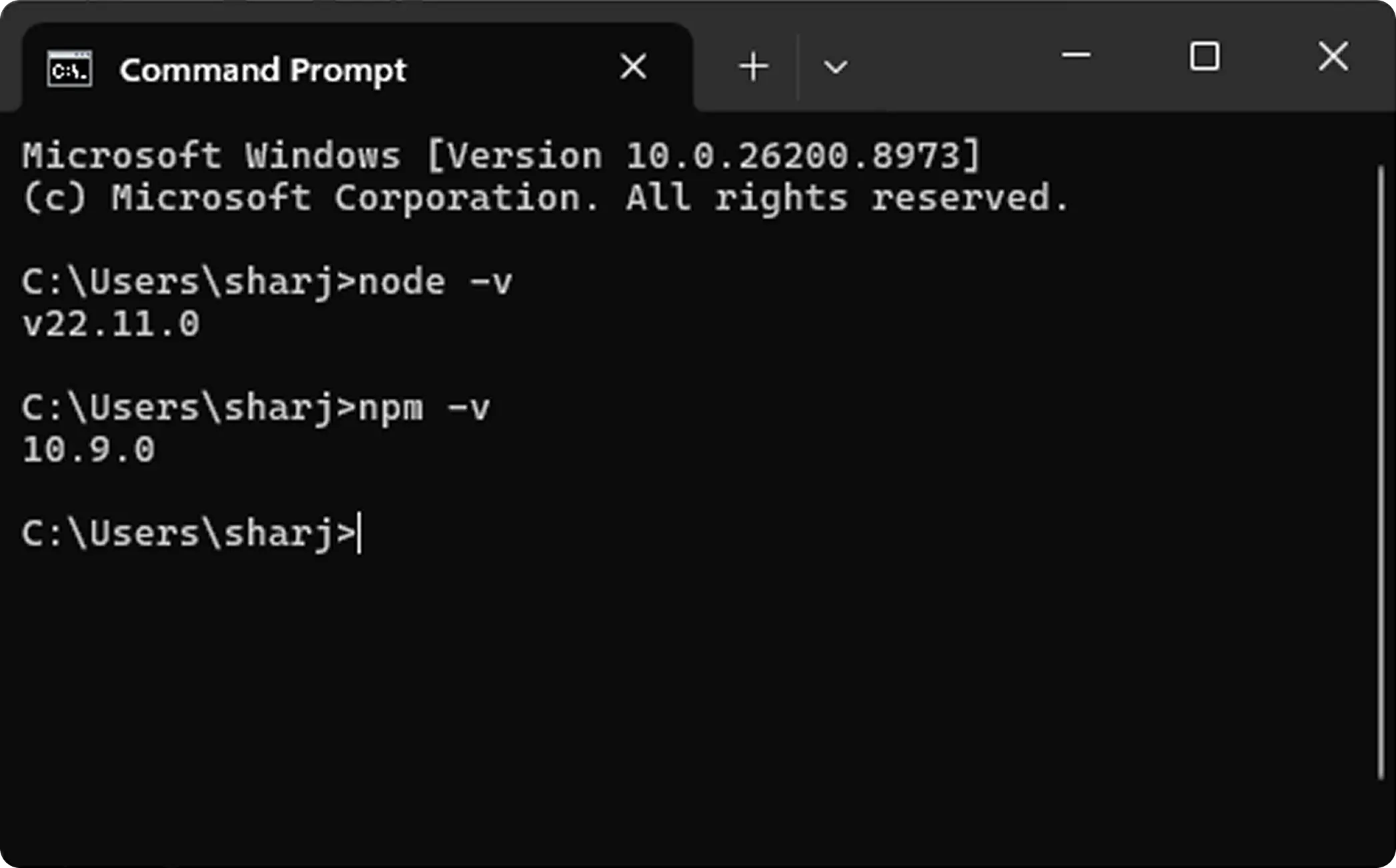
If both commands display version numbers, your environment is ready.
Step 4: Open Your Project in VS Code
Create a new folder for your project and open it in VS Code.
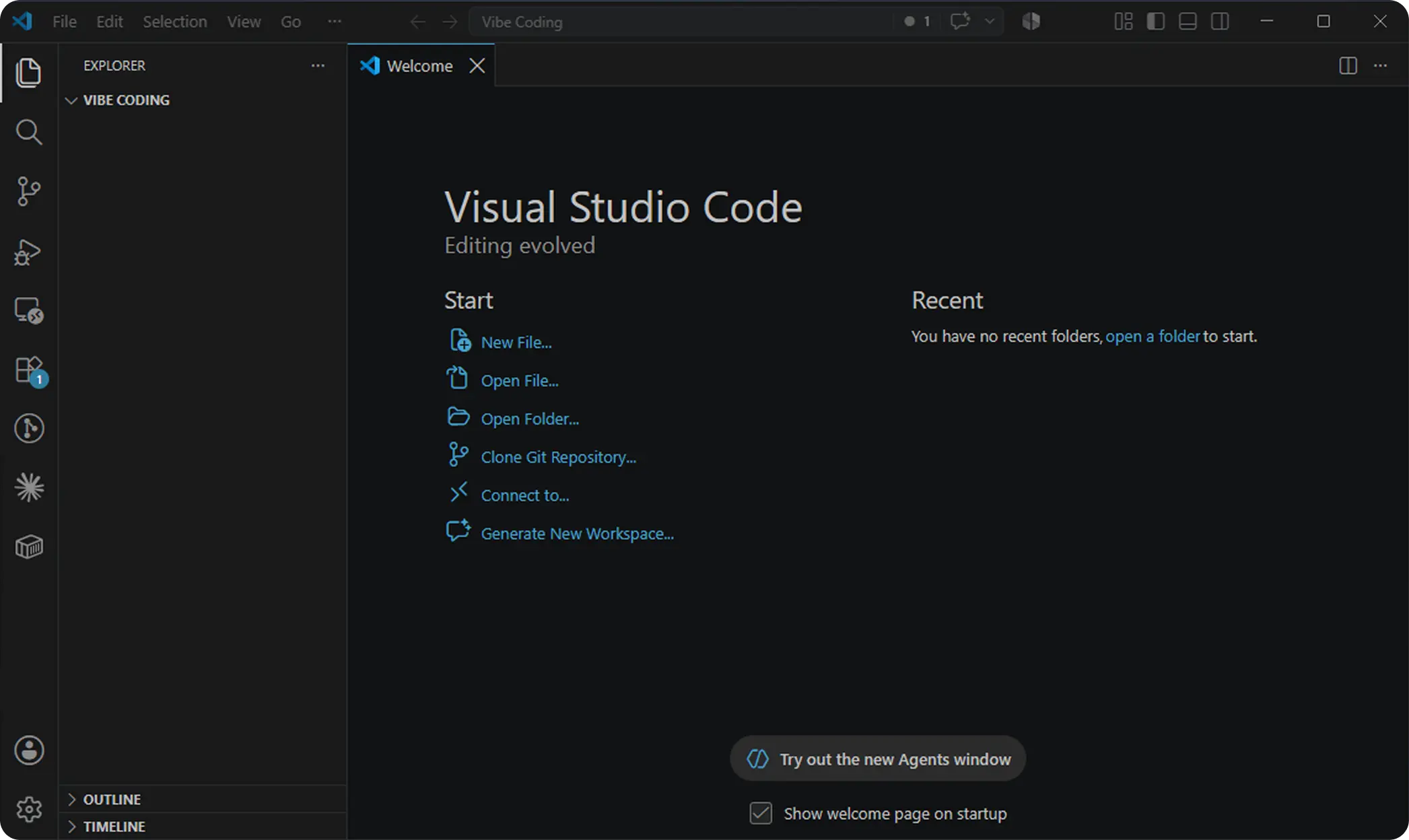
Step 5: Install and Connect Codex in VS Code
After opening your project folder in VS Code, go to the Extensions panel from the left sidebar or press Ctrl + Shift + X. Search for the official Codex – OpenAI's coding agent extension and click Install.
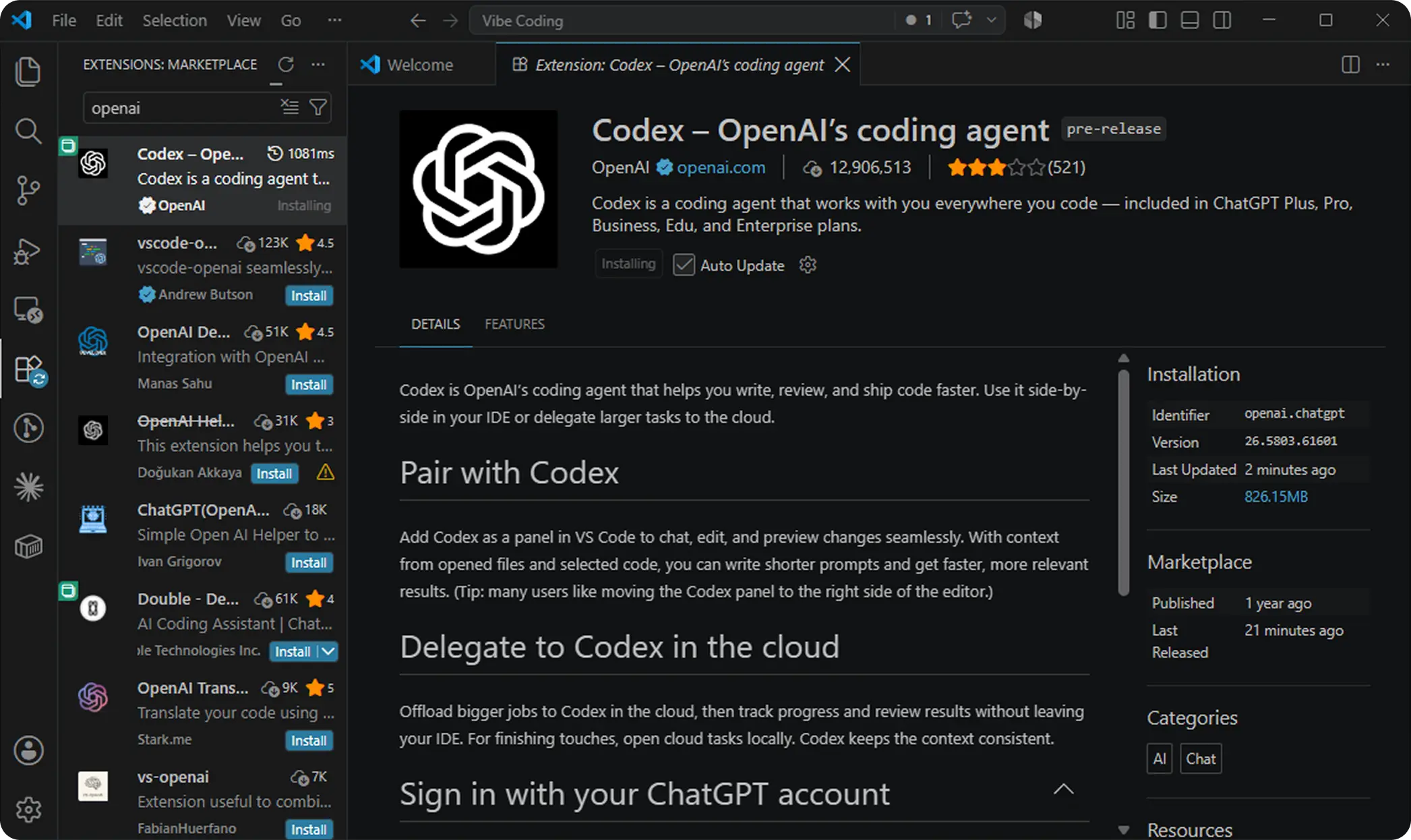
Once installed, open the Codex panel in VS Code and click Sign in with ChatGPT. Complete the authentication process using your ChatGPT account. After signing in successfully, Codex will be connected directly to your VS Code workspace and can help you generate code, modify files, fix errors, and build features using natural-language prompts without leaving the editor.
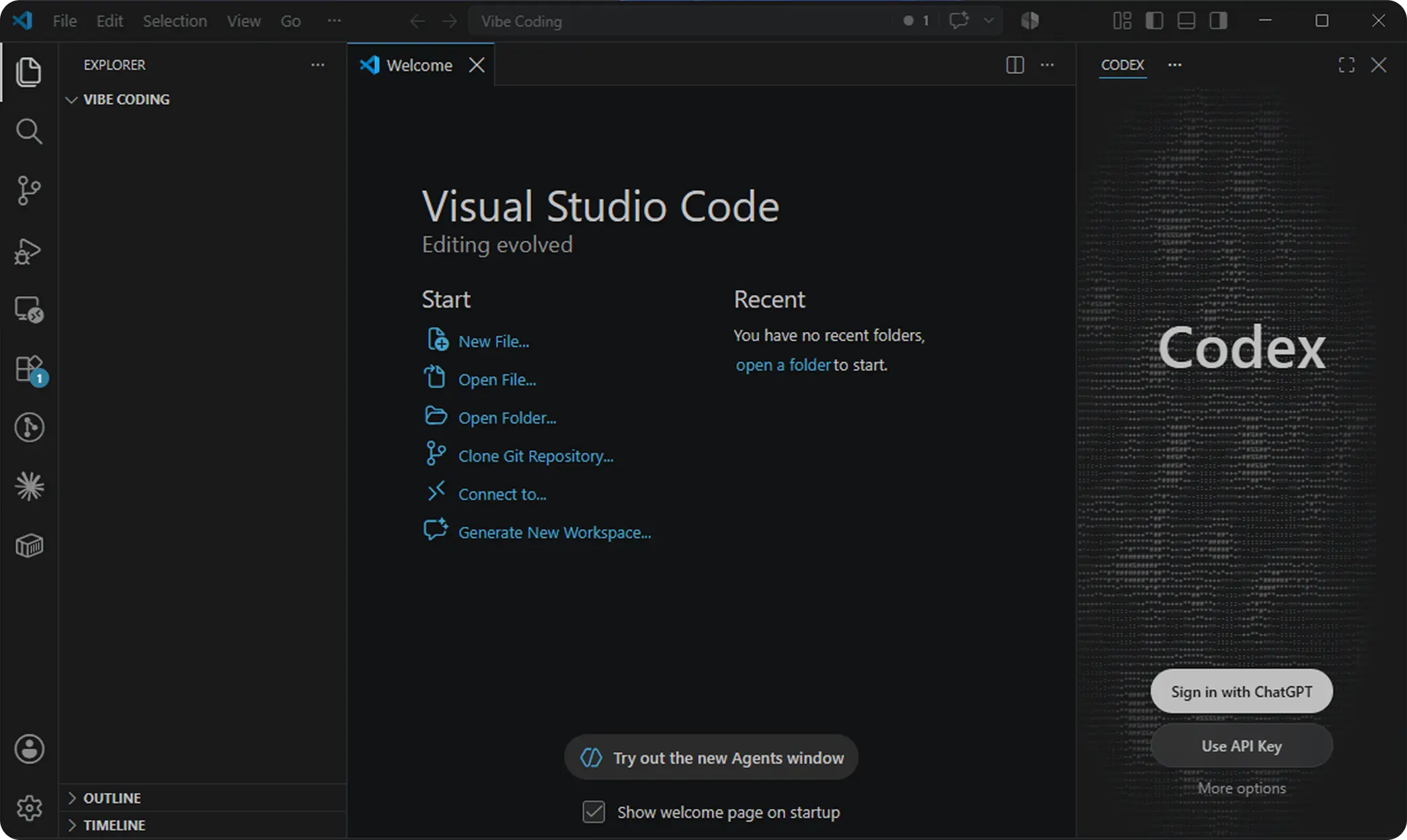
Step 6: Start Vibe Coding with ChatGPT
Now it's time to build something. Instead of writing code yourself, describe your idea to ChatGPT as clearly as possible.
For example:
"Create a modern calculator using HTML, CSS, and JavaScript. The design should be responsive, include dark mode, smooth button animations, and support keyboard input."
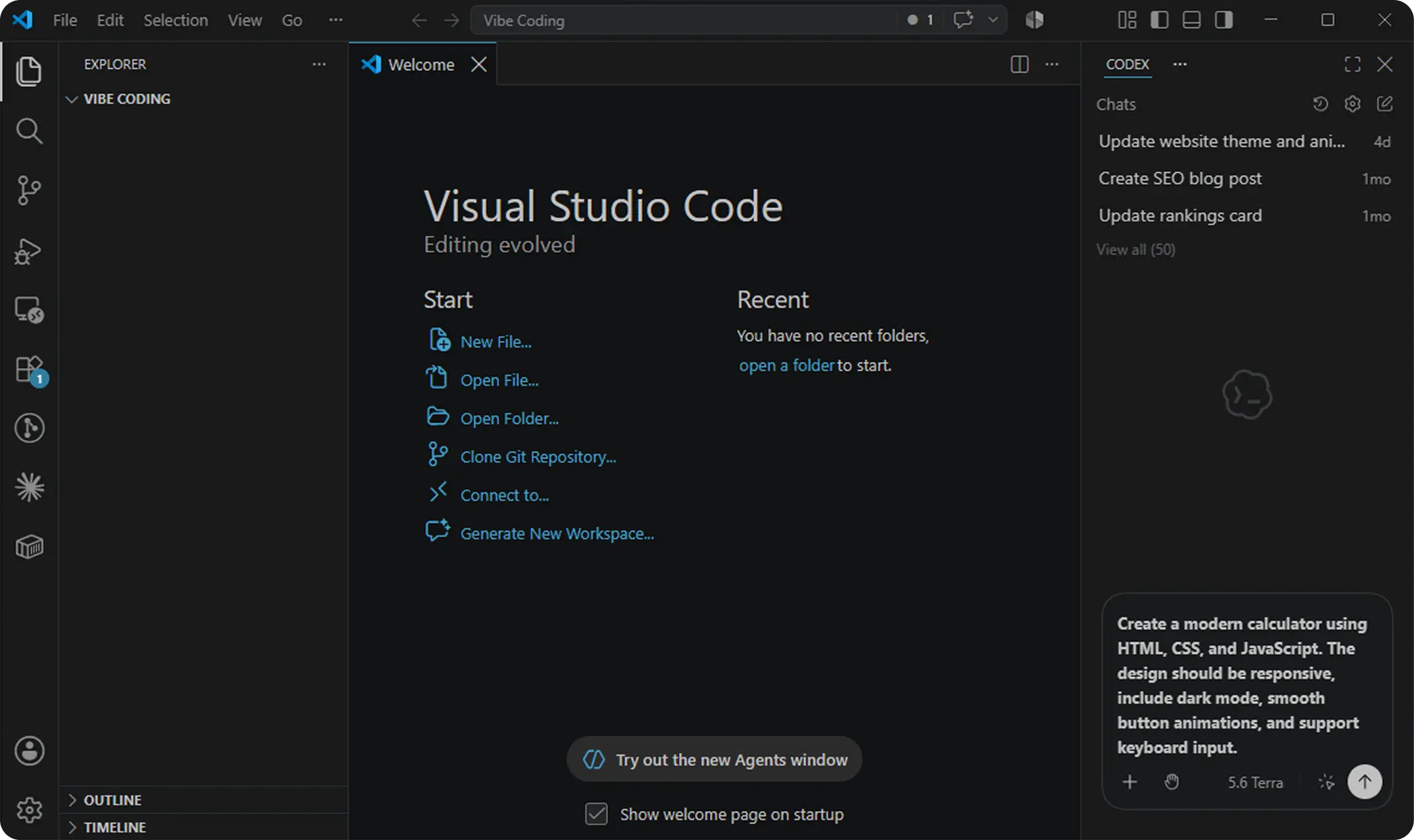
ChatGPT will generate the complete project structure, including the HTML, CSS, and JavaScript files. Copy the generated code into your project files in VS Code and run the application in your browser.
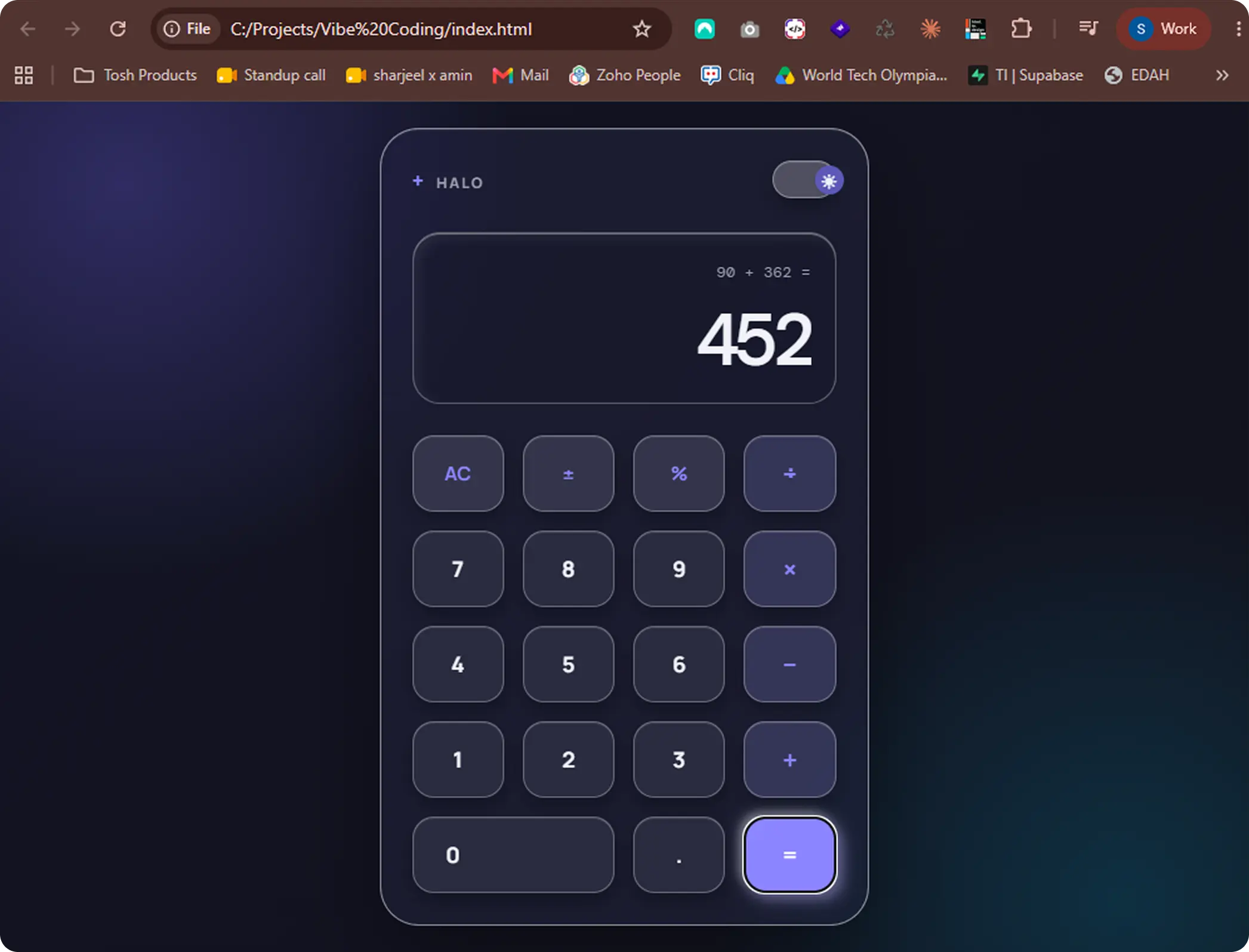
Step 7: Ask ChatGPT to Improve Your Project
Vibe coding is an iterative process. Once your application is working, continue improving it with natural language prompts. If you want to learn more about crafting optimal prompts for AI agents, explore our guide on Prompt Engineering for Designers.
For example:
- Add a dark mode toggle.
- Improve the UI using glassmorphism.
- Make it mobile responsive.
- Add animations using CSS.
- Save data in Local Storage.
- Optimize the code for performance.
Instead of rewriting code manually, simply describe the changes you want, and ChatGPT will update the code accordingly.
Step 8: Learn While Building
One of the biggest advantages of vibe coding is that you can learn programming as you build. If you don't understand a piece of code, simply ask ChatGPT:
"Explain this JavaScript function line by line like I'm a beginner."
This helps you understand concepts without leaving your workflow or searching through multiple websites. For a broader overview of the AI tools reshaping modern software development, check out The 2026 Developer & Designer AI Tech Stack and our breakdown on Designing for AI Agents.
Best Practices for Vibe Coding
The better your prompt, the better the results. Always include the programming language, framework, desired features, design preferences, and any constraints. Instead of saying, "Build a website," try saying:
"Build a responsive portfolio website using HTML, CSS, and JavaScript with a hero section, projects gallery, contact form, and smooth scroll animations."
Detailed prompts help ChatGPT generate cleaner and more accurate code.
Conclusion
Vibe coding with ChatGPT and VS Code makes software development more accessible than ever. By combining ChatGPT's coding assistance with VS Code's powerful development environment, you can build websites, web apps, and software without getting stuck on syntax or debugging every small issue. Start with simple projects like a "Hello World" page or a calculator, then gradually move on to more advanced applications. As you continue experimenting and refining your prompts, you'll become both a better developer and a more effective AI-assisted programmer.